Write this month's client reports in one afternoon, not one week
For agencies and freelance consultants: paste the numbers you already have and get the executive summary, the "why", the wins, the concerns and the next-month plan — in the client's language, not the dashboard's.
No accounts to connect. No client data leaving your machine. Works with any reporting stack.
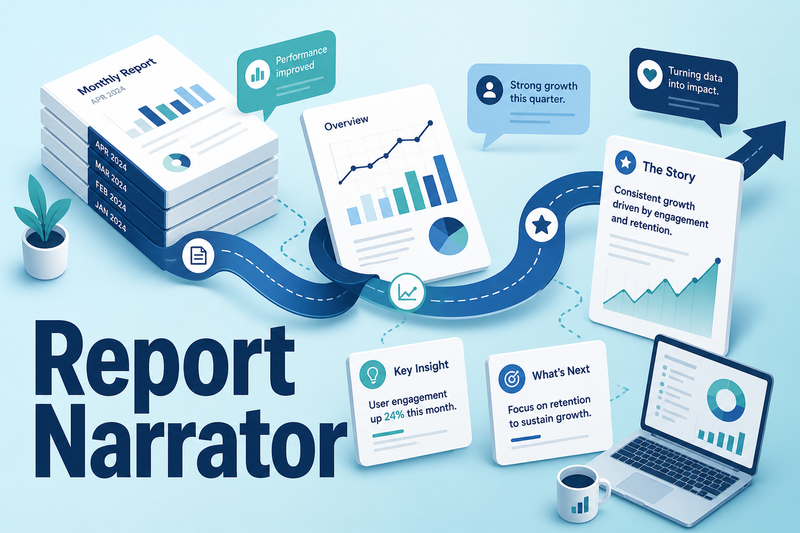
The numbers are the easy part.
By the end of the month your dashboards are full. Rankings, spend, conversions, sessions — all there, all exported. Then the real work starts: turning each client's numbers into something that client will actually read.
One narrative per client. Then the next. Then eighteen more.
So the writing gets rushed. The interpretation gets thin. The report that's supposed to prove your retainer is worth it goes out looking like a data dump with a logo on top — and the last week of every month disappears into it.
The reporting platforms didn't fix this. They solved the dashboard and left you holding the pen.
Client Report Narrator is the interpretation layer the dashboards skipped.
You paste the metrics you already have in front of you — each with a label, this period's value and last period's value — plus the client name, the reporting period and their stated goal. In one run you get the finished narrative.
Paste the numbers. Get the report. That's the whole workflow.
- Executive summary + headline numberThe single figure the client will remember, up front.
- What happened & why it happenedPlain-language interpretation, not a restatement of the dashboard.
- Wins and concerns, kept separateConcerns framed constructively, never alarmist.
- Next-month plan + call talking pointsBuilt from the client's stated goal and the numbers you supplied.
- One-line Slack/email updateFor the clients who never open the full report.
Everything that turns numbers into a report you'd send
Paste metrics, get a written report in one run
Drop in label, this period and last period — walk away with the full narrative instead of a blank page. Reclaim the hours you spend rephrasing your own dashboards.
One headline number the client remembers
The model surfaces the single figure that matters this period, so the client's takeaway is decided by you — not buried on page four.
Separate wins from concerns automatically
Wins read as wins; concerns are framed as next steps, so a soft month reads as a plan — not a panic — and you keep the call constructive.
Batch a whole retainer book at once
Roster mode runs up to 25 clients per run with per-row error reporting, so one bad row flags itself instead of silently breaking the batch.
Speak each industry's language
25 done-for-you vertical presets carry per-industry metric vocabulary, and importable preset packs merge into your list — so an e-commerce report and a local-services report each sound native.
Export where the client already reads
One click to CSV, Markdown or clipboard with a branded agency/client header; monthly, quarterly or annual periods; plain-spoken, formal or consultative tone.
The old reporting trade looks worse every month
Clients are asking sharper questions about where their data goes. Platform fees stack up across a growing book. And the OAuth setup still doesn't write the narrative — it just fills the dashboard you then have to explain.
The platform route
- Pick a platform, connect GA4, Search Console and Ads over OAuth.
- Route your clients' data through a third party.
- Pay a monthly fee for the privilege.
- Still write every narrative yourself.
Client Report Narrator
- Nothing to connect — paste the numbers you already have.
- Nothing leaving your machine — it runs locally.
- No recurring platform bill — your own API key.
- The writing is the part it actually does.
Paste → pick → run → send
Paste
Enter the client name, period and goal, then paste your metrics — label, this period, last period.
Pick your setup
Choose a vertical preset and a tone: plain-spoken, formal or consultative.
Run
In one pass you get the summary, headline number, the "why", wins, concerns, the next-month plan, the talking-points sheet and the one-line update.
Export & send
One click to CSV, Markdown or clipboard with your branded header — straight into your deck, email or PDF.
Want to see the output before you commit? Hit "See a sample report" in the app — it renders a full example on screen, clearly labelled as a sample, with no API key required.
Everything in the box
The full app, running locally
On your own machine with your own API key — no usage cap, limited only by your key.
Every report component in one run
Executive summary, headline number, what/why, wins, concerns, next-month plan, call talking points and the one-line update.
25 vertical presets
Plus importable preset packs — start with your industry's vocabulary loaded.
Roster batch mode
Up to 25 clients per run with per-row error reporting.
One-click export + a no-key sample report
CSV, Markdown or clipboard with a branded header across monthly, quarterly and annual periods — plus a sample report so you and your team can see exactly what it produces before wiring anything up.
Quick-start + support
Get your key in and your first report out in minutes; 30 days of support at {{support_email}}.
The last week of the month stops belonging to the reports.
No invented testimonials, and no invented numbers
That's the whole point of this tool. Here's what we can show you honestly.
The sample report
Click "See a sample report" and read a complete, finished narrative on screen before you spend a cent or add a key.
The before/after on your calendar
Before: writing one narrative per client, by hand, twenty-plus times a month. After: paste, run, export — and edit to taste.
The honesty guarantee
The model never invents, estimates or extrapolates a number you didn't paste. If a metric is missing, the report flags it as not supplied — it does not fill the gap.
Customer testimonials appear here.
If you produce recurring client reports, this is for you
- Marketing agenciesProducing monthly reports across a full retainer book.
- Freelance SEO, PPC & paid-social consultantsReporting to retainer clients.
- Virtual assistants & account managersWho prepare reports for an agency.
- Providers delivering under a partner's brandReporting on behalf of another agency.
- In-house marketersReporting upward to leadership.
If you can fill in a form and click a button, you can run this. The app does the writing so you don't have to.
One-time. Your own key. No monthly platform fee.
The full app, your own key, no usage cap, no monthly platform fee.
That's less than one hour of the time you spend writing reports by hand every month.
Get instant access — $37 30-day money-back guaranteeUpgrade paths, if you want them
- Pro $47 — client-use rights, team seats, priority presets and an agency onboarding pack, so your whole team can produce and deliver reports.
- Agency $79 — the full 25 vertical presets with per-industry vocabulary, extra importable preset packs and client-delivery rights under your own brand.
- Done-for-you $147/mo — a monthly drop of fresh vertical presets, prompt packs and swipes so your library never runs dry (recurring — terms stated before checkout).
Try it for 30 days.
If pasting your numbers doesn't get you a finished report you'd send, email {{support_email}} for a full refund. No forms, no questions.
Questions, answered
How do I get started?
Drop your API key into the config file, run the app locally, paste your first client's numbers and export the report. You'll have a finished narrative in minutes. The quick-start guide walks you through it.
Do I need my own API key? What does it cost to run?
Yes — you supply your own Anthropic API key, so there's no monthly platform fee and no usage cap beyond your key. API spend is roughly $0.50–$3 per 1,000 reports depending on model and report length (an estimate, not a guarantee). You pay your AI provider directly.
Does it work with my reporting stack?
Yes. There's nothing to connect — no GA4, Ads or Search Console OAuth. You paste the metrics you already have from any tool, so it works alongside whatever dashboards you already run.
Is my client data private?
The app runs locally on your machine and your key stays on your machine. You paste only the metrics you choose, and nothing routes through a third-party reporting platform.
Will it make up numbers to fill a gap?
Never. The model only narrates the metrics you paste. Missing values are flagged as not supplied — they're never estimated or invented.
How do I get support?
Email {{support_email}} and we'll respond within 24–48 hours. Start with the quick-start guide for setup questions.
What's the refund policy?
30-day money-back guarantee. If it doesn't earn its place in your month, email {{support_email}} within 30 days for a full refund.
Give the last week of the month back to yourself.
Paste this month's numbers, get the client-ready story behind them, and send reports you're proud of — in one afternoon instead of one week.
Start writing this month's reports todayStart now — 30-day guarantee. If pasting your numbers doesn't get you a report you'd send, email {{support_email}}, no questions.